← Home District
📺

YTDL

YouTube Media Hub

v1.0.0 Active Windows Python 3.10+

A personal YouTube media hub that does far more than just download things.

YTDL started as a simple yt-dlp wrapper and grew into a full personal media hub. Dark-themed desktop GUI for Windows. Download videos, subscribe to channels, manage a library, queue scheduled downloads, track history — all from one place.

It runs minimised to the system tray and checks subscribed channels in the background. New content appears in a Watch Feed automatically. The library scanner finds everything you've downloaded and lets you play it directly from the app.

Built for one person. Shaped by how that person actually uses YouTube.

5 Tab Modules
13 Core Files
4 DB Tables
1 User
⬇️

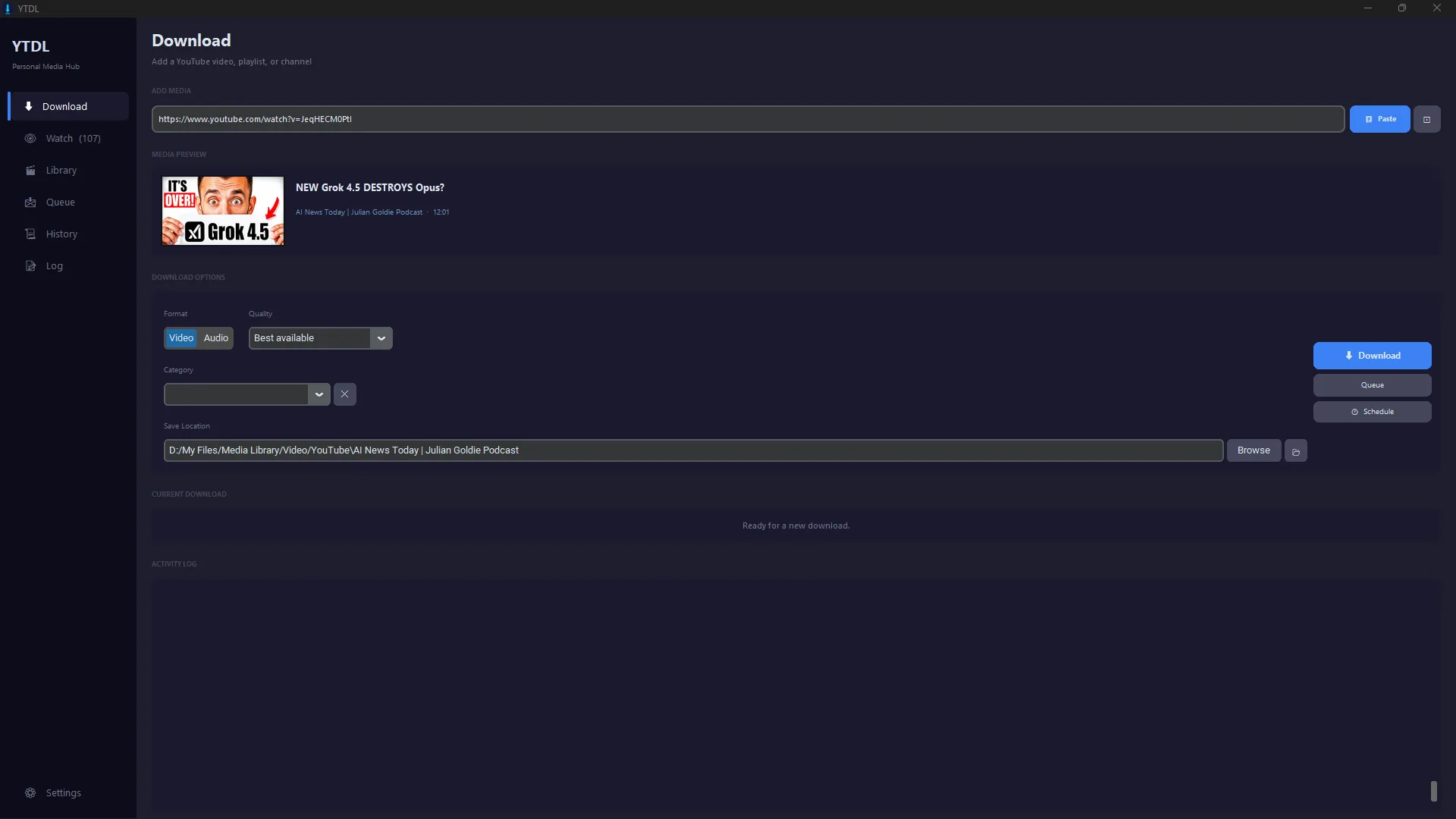
Downloading

  • Video or audio mode with full quality and format selection
  • Drag-and-drop URL support
  • Subtitle embedding
  • Browser cookie passthrough for age-restricted content
  • Plex-compatible .nfo + thumbnail + metadata sidecars
  • Category-based folder organisation
📡

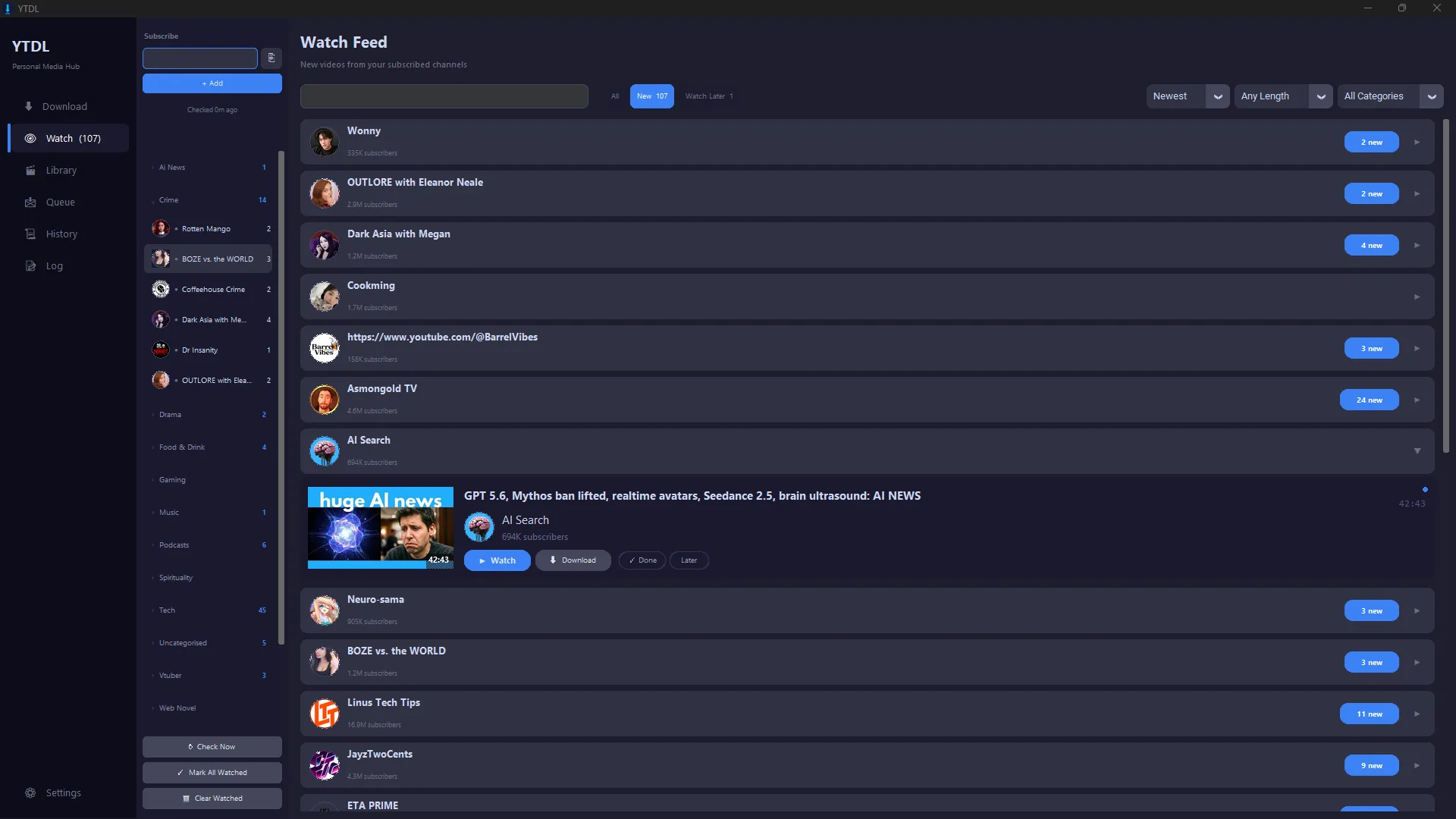
Watch Feed

  • Subscribe to YouTube channels and playlists
  • Auto-checks for new content on a configurable interval
  • Filter by unwatched, watch later, category, duration, text
  • Per-channel auto-download with quality settings
  • Circular avatars, verified badges, subscriber counts
  • One-click download direct from the feed card
📚

Library

  • Scans save directory recursively for all media
  • Grid, compact, and list view modes
  • Filter by type, search by text, sort by date/size/duration
  • Thumbnail pipeline: cache → sidecar → ffmpeg → placeholder
  • Embedded video player (python-mpv) or system fallback
  • Built-in audio player with scrubber
🗓️

Queue

  • Sequential download queue
  • Scheduled downloads — set a future date and time
  • Per-job status, pause, and cancel controls
  • Scheduler polls every 20 seconds
🖥️

App Shell

  • Animated 2.8s splash screen on startup
  • Single-instance enforcement via TCP lock
  • Mini Window mode — compact always-on-top bar
  • System tray icon with minimise support
  • Colour-coded activity log, capped at 200 lines
  • Startup dependency check with in-app installer
📋

History

  • Auto-logs every completed and failed download
  • Thumbnail, status badge, timestamp
  • Open, re-download, or remove from history
  • Right-click context menu
customtkinterAll UI — modern dark-themed widgets
yt-dlpDownloading, info extraction, feed checks
SQLiteAll persistent storage via data/ytdl.db
ffmpegAudio extraction, thumbnails, duration probing
PillowImage loading, resizing, thumbnails, tray icon
python-mpvEmbedded video player window
sounddeviceAudio playback via PortAudio streams
pystraySystem tray icon and context menu
tkinterdnd2Drag-and-drop URL support
plyerWindows desktop notifications
numpyFloat32 PCM arrays for audio decoding
Python 3.10+Entry point: ytdl.py / launch.bat

How It's Built

The App class inherits from five tab mixins — each one contributing a full page of UI and event handlers while all state lives on a single object. Shared palette constants and helpers come from tabs/common.py.

All heavy work runs on daemon threads and marshals back to the tkinter main thread via self.after(0, callback). The download queue has a persistent worker thread and a scheduler thread. The watchlist manager runs a background loop that wakes hourly and spawns per-channel check threads on demand.

SQLite runs in WAL mode with a module-level threading lock. Every download gets a .nfo, a sidecar thumbnail, and a .info.json dropped alongside the file.

FILE STRUCTURE
ytdl/
  ytdl.py          ← entry point
  splash.py        ← animated splash
  gui.py           ← App class
  downloader.py    ← DownloadQueue
  watchlist.py     ← WatchlistManager
  library.py       ← MediaItem + scanner
  player.py        ← AudioPlayer
  videoplayer.py   ← VideoPlayerWindow
  history.py       ← history wrapper
  settings.py      ← Settings class
  db.py            ← SQLite schema + CRUD
  notifier.py      ← desktop notifications
  tray.py          ← system tray
  tabs/
    watch_tab.py
    queue_tab.py
    history_tab.py
    library_tab.py
    settings_tab.py
Queue Sequential only — no parallel downloads
Pause Cancels the yt-dlp process and resets progress to 0
python-mpv Optional, not in requirements — falls back silently
Requirements No requirements.txt — dependencies installed manually
Library Only one root save directory scanned at a time
Version Hardcoded as v1.0.0 — updater checks dependencies only
WATCH FEED — SUBSCRIBED CHANNELS
YTDL Watch Feed
DOWNLOAD — VIDEO PREVIEW & OPTIONS
YTDL Download Screen